
HOW TO LOGIN WEBSITE
-
Flow overview
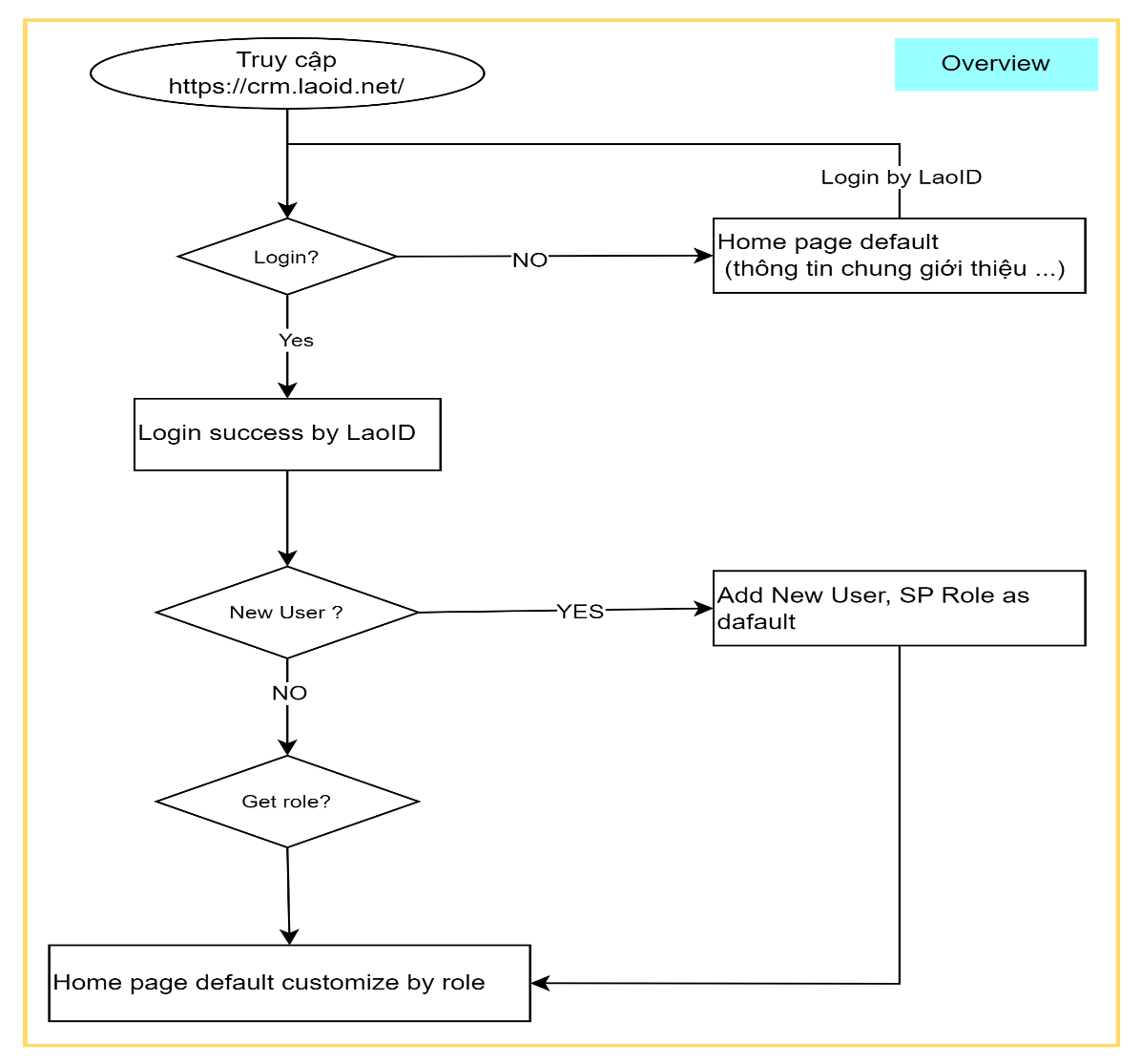
-
Step by step

Visit web: https://crm.laoid.net/ and click to
Login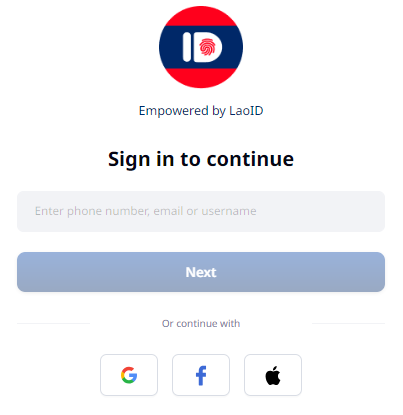
Login to https://crm.laoid.net/ by account LaoID

After Login successful, User can view information and guideline to register SP.
HOW TO REGISTER SERVICE PROVIDER
-
Flow overview
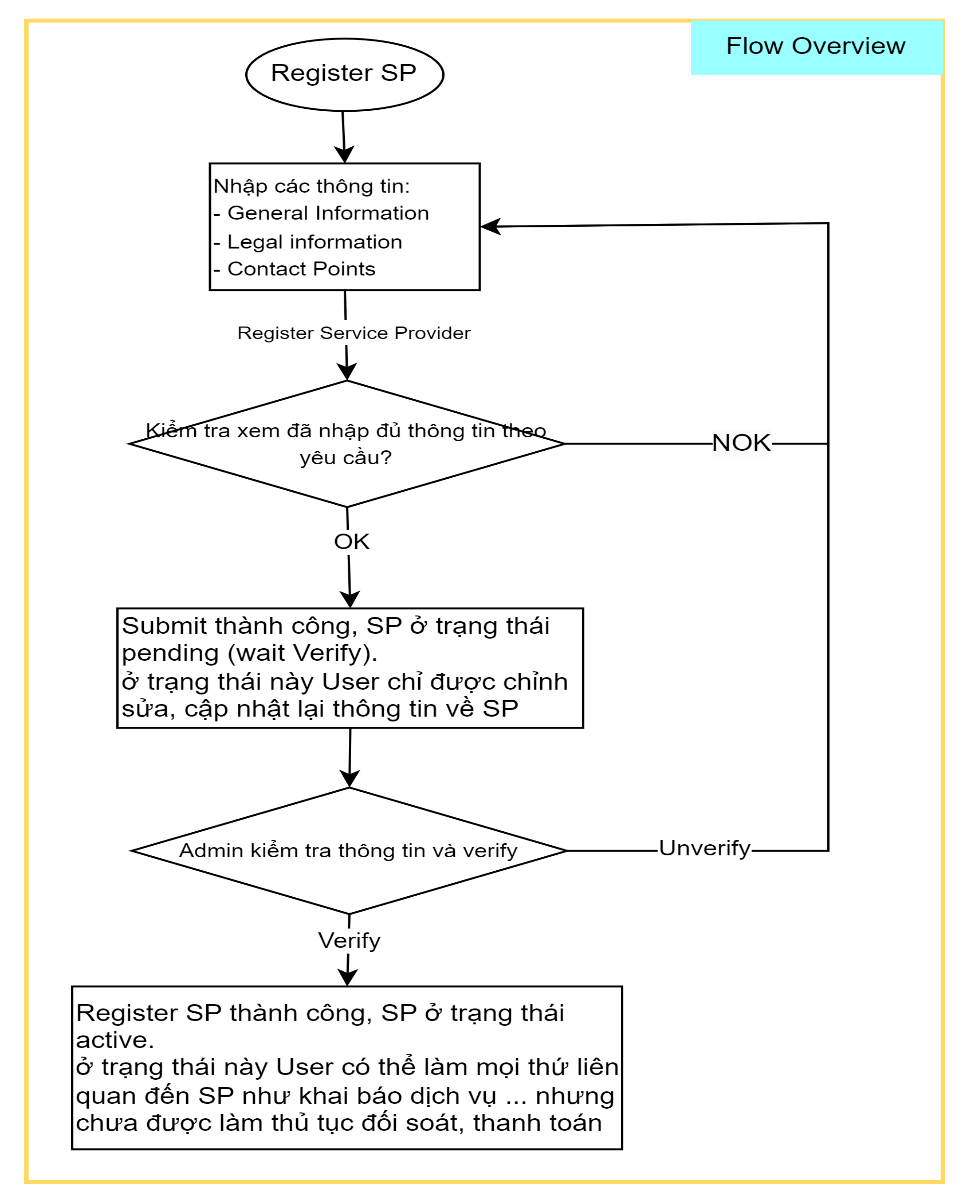
-
Step by step
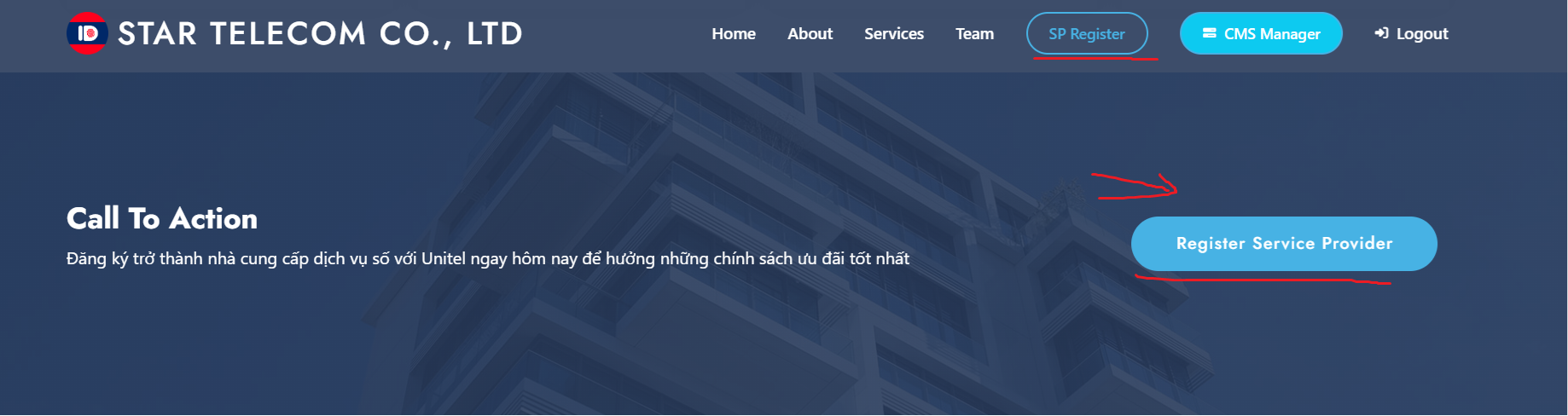
Choose
SP RegisterRegister Service Provider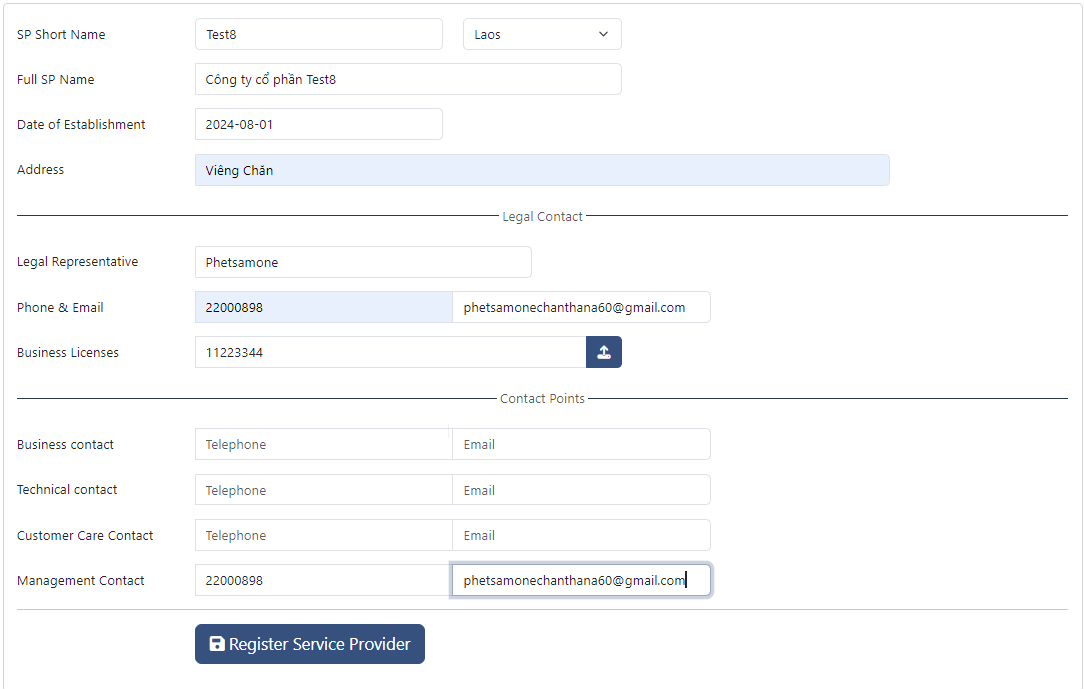
Fill information follow guideline

Click to
Register Service Providerto submit to Unitel, at this period SP status is Pending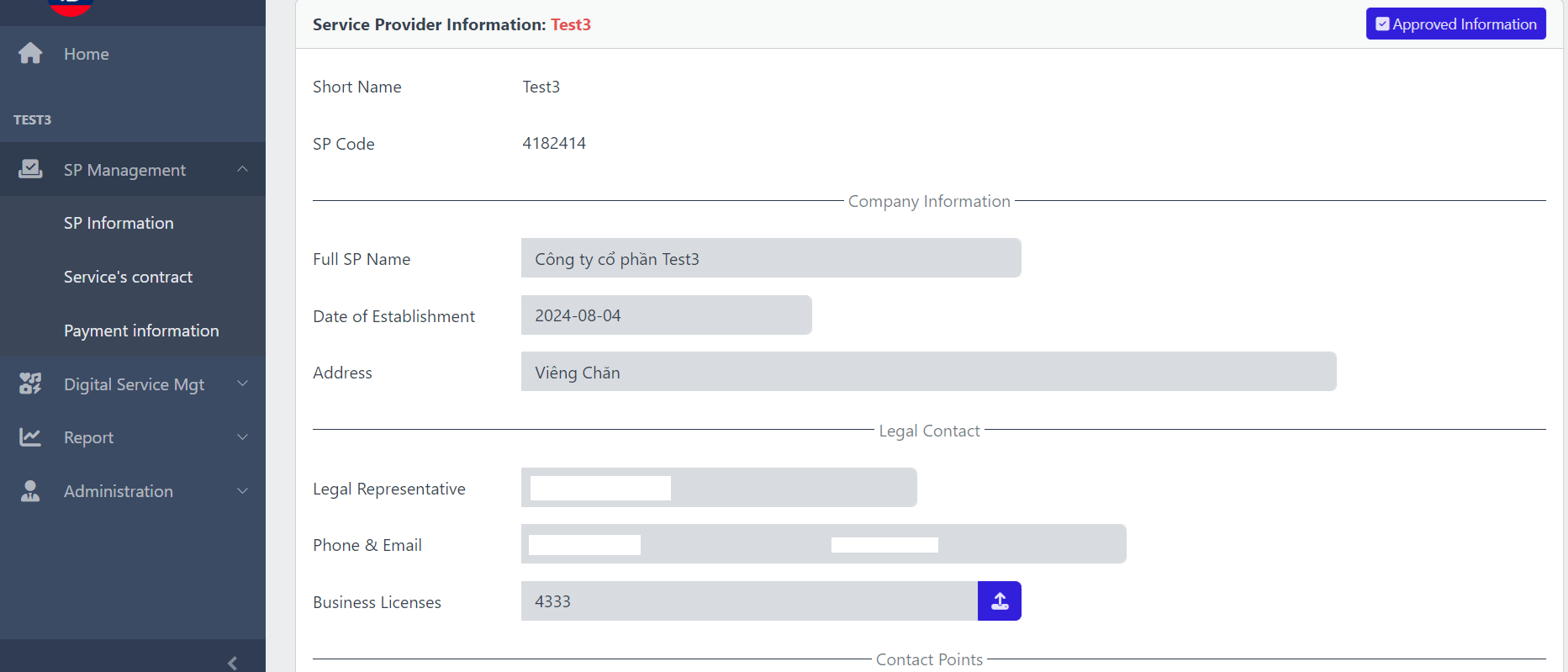
Admin Unitel will verify SP infor and the system will send an email to notify User when complety.
-
How to update service provider information
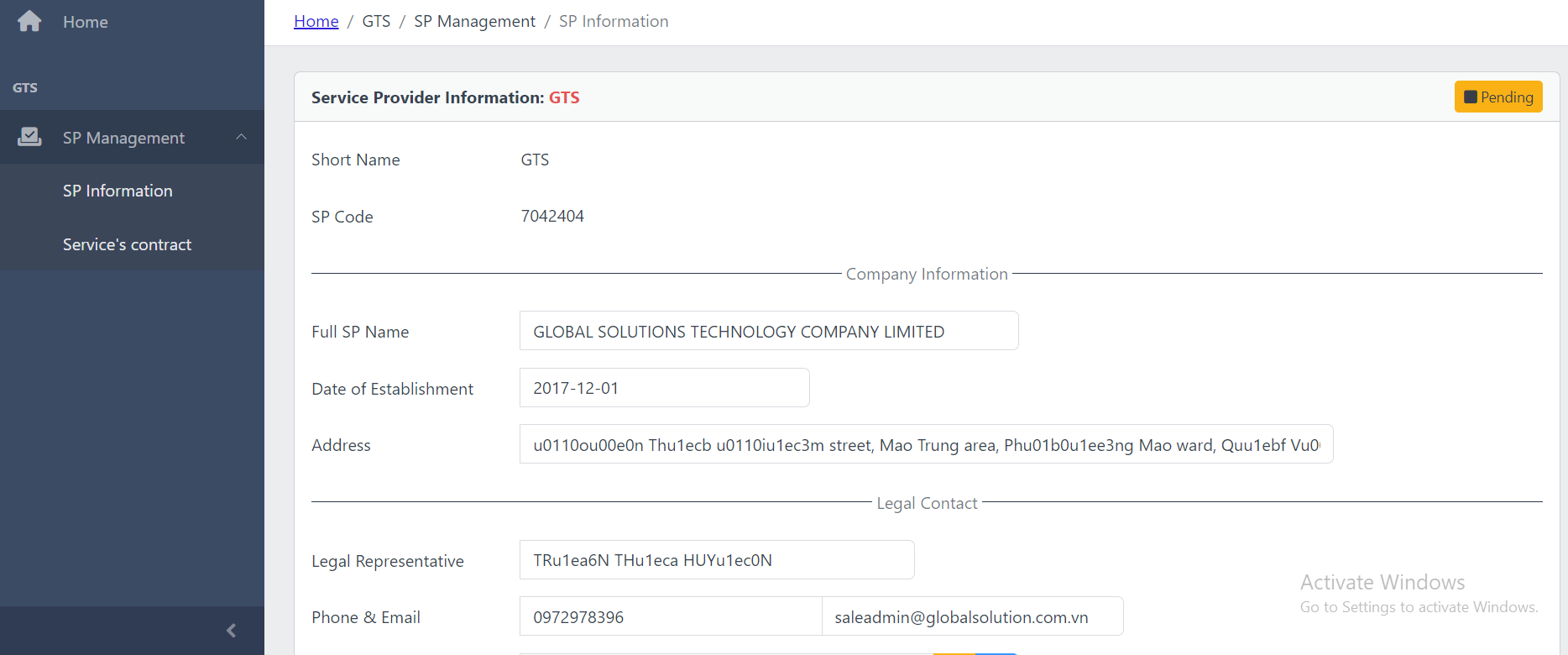
If your SP information is not verifying by Admin cause something is not clear, the system will send an email to notify to you.
In this case, User needs to update the information:
- Step 1: login to https://crm.laoid.net/ with the account
- Step 2: Access this path: SP Management / SP Information
-
Step 3: Update again the information and
Updateto submit again.
HOW TO REGISTER BANK ACCOUNT INFORMATION
-
Flow overview
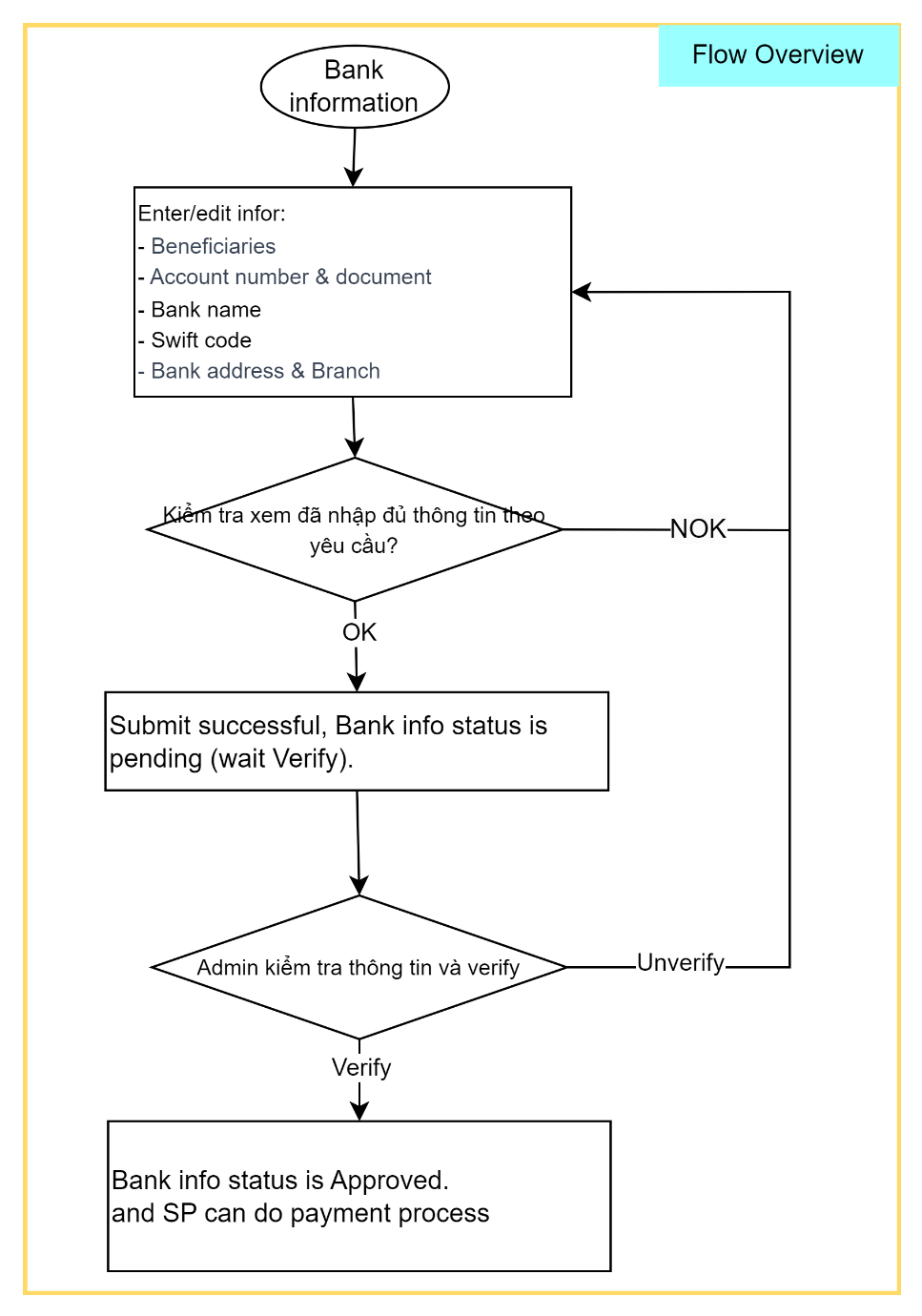
-
Step by step
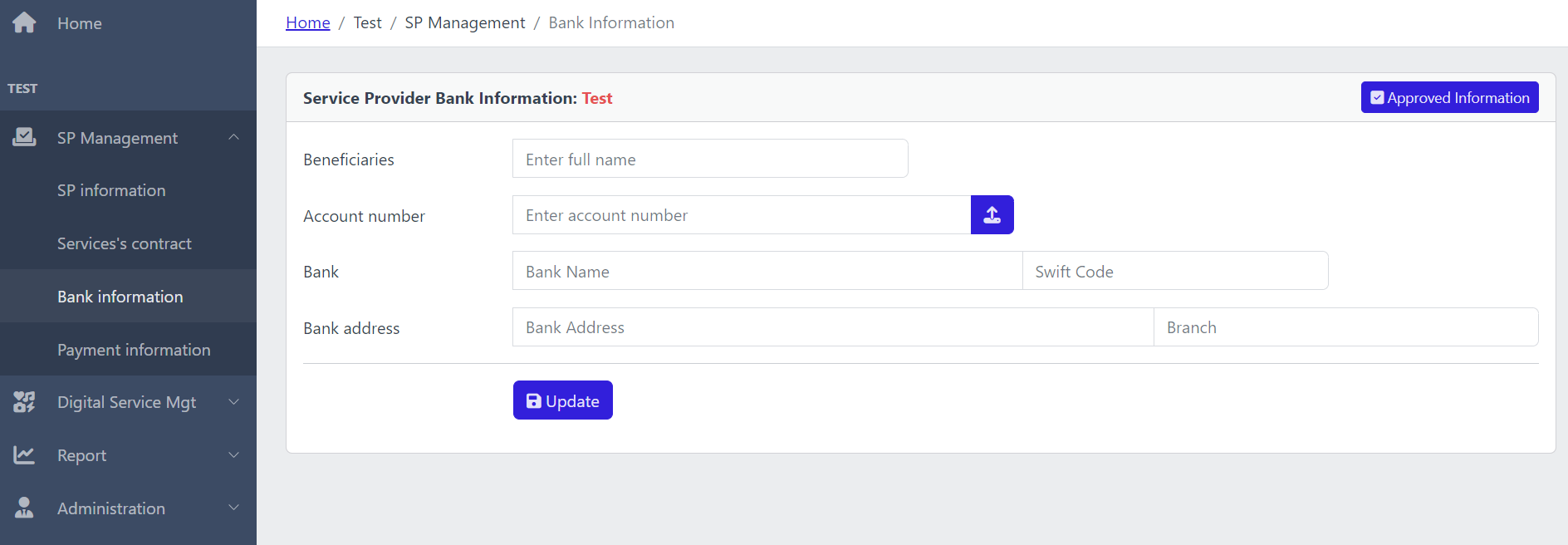
Access this path:
SP Management/Bank Information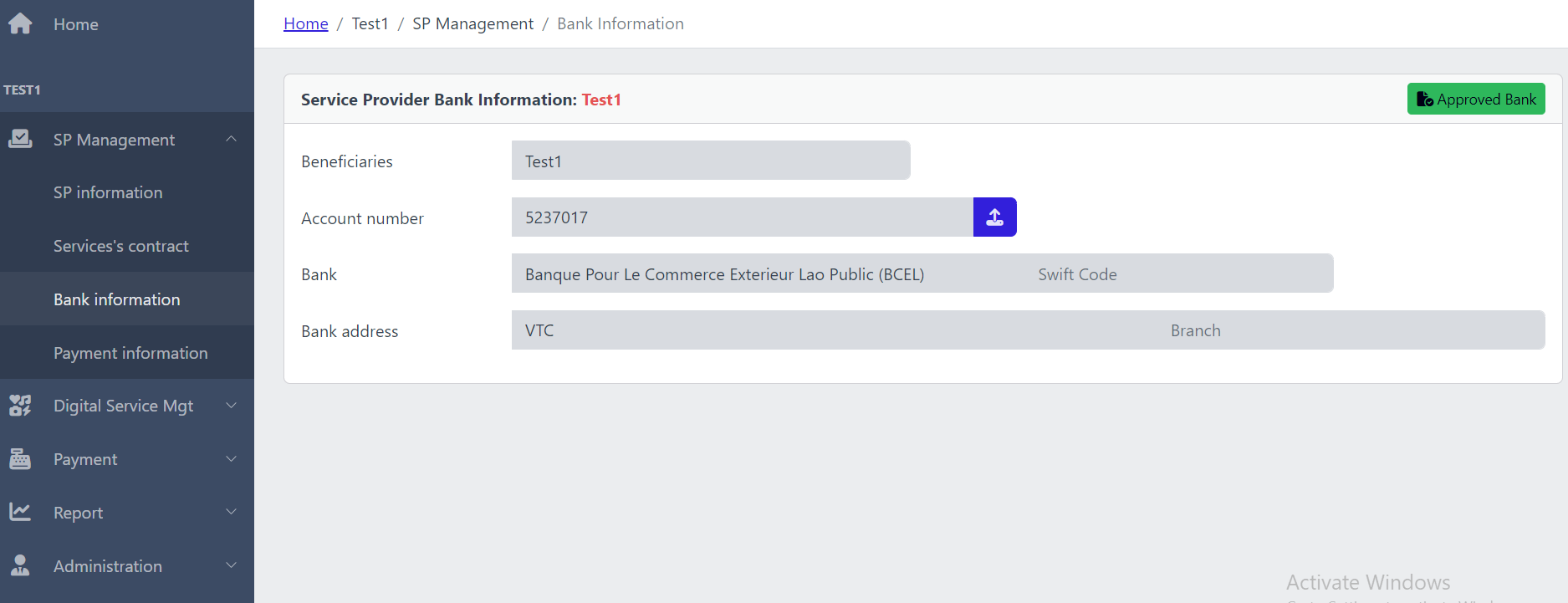
Fill information follow guideline:
- Beneficiaries
- Account number and upload scan file ò bank documents
- Bankname & swift code
- Bank address
Click to
Updateto submit to Unitel. Admin Unitel will verify Bank infor and the system will send an email to notify you when complety.